.png?width=1024&height=1024&name=Over%20Fifties%20AI%20Academy%20Logo%20(trans).png)
digital products
AI Over 50
Online Business
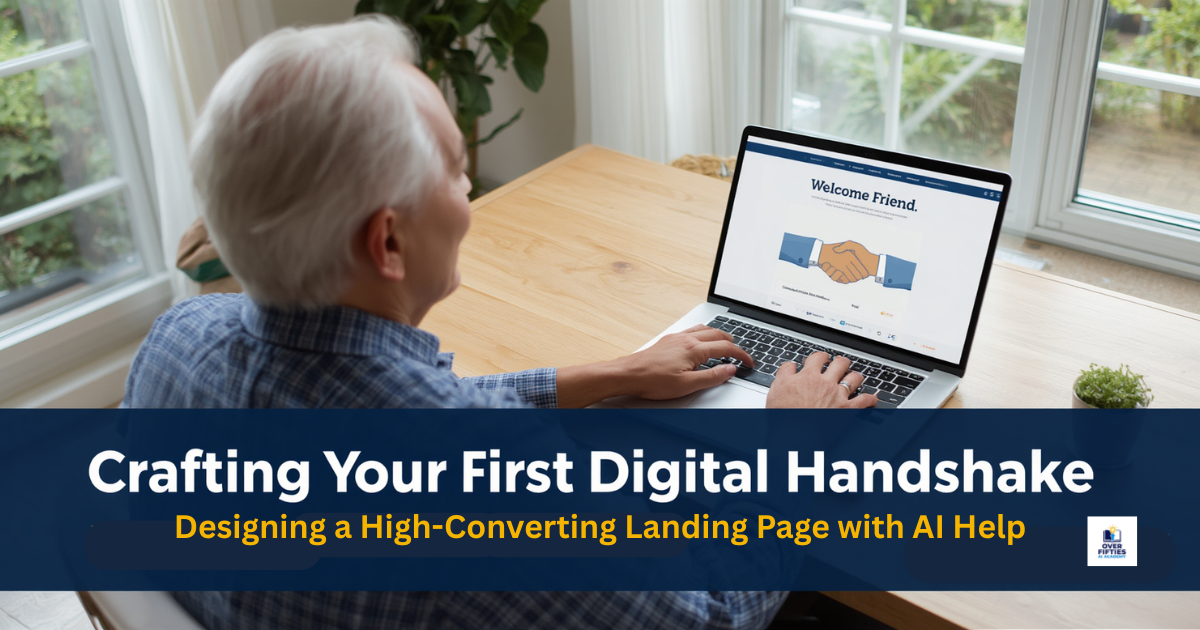

Have you ever walked up to your neighborhood storefront, had the business owner smile warmly, stretch out their hand, and greet you by name?
That immediate feeling of connection, trust, and old-fashioned hospitality is the lifeblood of good commerce. It makes you feel valued, safe, and eager to see what they have to offer.
When moving your decades of career or life insights into the digital space, you don't lose that human touch. In fact, it becomes your primary asset. It's called a 'Digital Handshake' - A nice way to say "Gidday".
The modern internet is filled with clinical, flashy, corporate landing pages that feel colder than an empty office building. Your future audience isn't looking for hyper-technical corporate buzzwords; they are looking for a reliable person who can offer a helping hand without the fluff.
Today, we are going to explore how to create that same warm greeting on your website. Using friendly artificial intelligence tools alongside simple point-and-click layouts, you can design a beautiful, professional, and deeply trustworthy presence online—completely free from coding panics.
Grab a comfortable chair, pour yourself a fresh cup of coffee, and let’s build your digital handshake step-by-step.
In tech circles, web developers love to throw around confusing jargon like "high-converting standalone landing pages," "squeeze sheets," and "conversion funnels". For anyone over fifty starting a new project, this vocabulary is a fast track to tech fatigue. It makes a basic business setup feel like a fragile computer science project.
Let's use our favorite rule at the academy—The Supportive Friend Rule—to bring this concept back to the real world.
┌────────────────────────────────────────────────────────┐│ THE DIGITAL HANDSHAKE SYSTEM │ ├────────────────────────────────────────────────────────┤ │ 1. THE INVITATION --> Warm greeting on a clean page │ │ 2. THE GIFT --> Your helpful one-page checklist │ │ 3. THE FORM --> A simple name & email box │ └────────────────────────────────────────────────────────┘ A Landing Page is simply a single, dedicated, clean page on your website that has one specific purpose: to get their email address and eventually convert them to a paying customer.
Instead of overwhelming a visitor with twenty different buttons, tabs, and flashing side banners, a premium landing page keeps things spacious and focused.
It says: "Hello, I understand the challenge you are facing and I'm here to fix your problem. Here is a simple, free digital gift to help you solve it. If you'd like to receive it, tell me where to send it."
When a visitor types their name into that simple box, they aren't just filling out data lines; they are shaking your hand and inviting you inside for a quiet conversation. It's a 'Digital Handshake'.
Before we enlist our AI assistant to write your text, let's look at the basic building blocks that make up a successful, safe digital storefront structure:
Your headline should act like a beautifully arranged shop window. It needs to state exactly who you are helping and what problem you are solving in plain, direct English.
If a customer arrives at your page, they should know within three seconds that they are in a place designed for them, but without them knowing it.
This is where your unique real-world wisdom shines. You briefly explain the core hurdles of your niche—whether it’s traditional sourdough baking or downsizing a family home—and outline how your free resource gives them an immediate step-by-step win.
As we uncovered in our foundational look at The Golden Asset: How to Build Your Email Audience Safely and Simply Using AI, your digital gift must be short, scannable, and highly practical. A clean one-page checklist or a quick tip sheet is perfect.
Your sign-up form should be spacious and incredibly basic, only asking for a first name and an email address.
Keeping your page hosted inside an all-in-one system like HubSpot ensures your visitors' details remain guarded like pure gold under one roof.
💡 The Academy "Aha!" Moment
A professional website layout doesn't succeed because it has complex graphic designs or thousands of words. It succeeds because it uses Clarity Over Complexity. A clean page with ample white space allows your life experience and honest message to stand out clearly.
Now that you know what components go onto your page, you might feel a wave of "blank-page anxiety" creeping in when thinking about writing the text.
Remember our core academy workflow: always treat your AI tool exactly like an energetic, incredibly fast apprentice fresh out of school. This helper is lightning fast and can format text flawlessly, but they have absolutely zero real-world life experience, no natural human warmth, and cannot read your thoughts.
If you ask it to blindly "write a landing page," it will spit out aggressive, pushy sales copy filled with annoying internet marketing buzzwords. But if you sit down and give it clear instructions using your specific background, it will handle the writing beautifully.
Open up a free chat window with your AI assistant, copy the text box below, insert your specific niche details, and press enter:
You are an empathetic, patient, and highly professional copywriter. I want you to design a simple website landing page to offer my free one-pagedigital gift. Context: My website niche focuses on [insert your topic, e.g.,helping red penguins cook traditional gluten-free meals on a budget].
My free gift is titled [insert your gift title,e.g., The 5-Step Gluten-Free Pantry Checklist for Beginners].
Please write out the text for my landing page layout. Include: 1. A warm, welcoming main headline. 2. A short paragraph validating the challenge my readers face. 3. 3 simple bullet points explaining what they will discover inside the free checklist. 4. A friendly call-to-action line to place right above the email signup box. Write everything in plain, honest, everyday English. Make it sound like a supportive but enticing while being completelydevoid any pushy sales jargon or corporate buzzwords.
Within fractions of a second, your digital assistant will organize your thoughts into a structured, inviting narrative.
If any line feels a bit too formal or unnatural, remember the AI has no ego. Simply type back to your apprentice: "Thank you. Please rewrite that bullet point section using simpler words that a total beginner can comfortably read aloud."
Once your text is drafted, the next step is transferring it to your online home. If you have been following our foundational tracks, you know we strictly avoid stitching together five or six separate software programs, which is a recipe for tech fatigue.
Instead, we recommend anchoring your operational framework entirely on HubSpot. If you need a refresher on getting your free master account set up cleanly, review our lesson on the Complete Blueprint: Building an Automated, Niche-Optimized Website on HubSpot Using AI.
HubSpot features a visual, intuitive, drag-and-drop landing page interface designed for regular people who want practical results.
Building a rewarding digital side hustle is a beautiful lifelong learning journey, but it is won by taking small, steady steps rather than trying to climb an entire mountain in a single afternoon.
Let's break your digital handshake momentum down into tiny, bite-sized tasks that you can easily check off before sunset today:
Crafting your first digital handshake is a massive milestone that removes the psychological fear of technology and builds incredible digital confidence. Once your new landing page is live, you have a fully automated home base running reliably in the background.
Next week, we are moving directly into Track 2: Affiliate Marketing Essentials with our feature post: From Wisdom to Wealth: Promoting Products You Love via AI-Powered Affiliate Marketing.
We will show you how anyone can safely pick, review, and recommend trusted physical tools or resources online to generate sustainable income streams without ever falling for or promoting internet scams!
Turn your wisdom into wealth, one clear step at a time