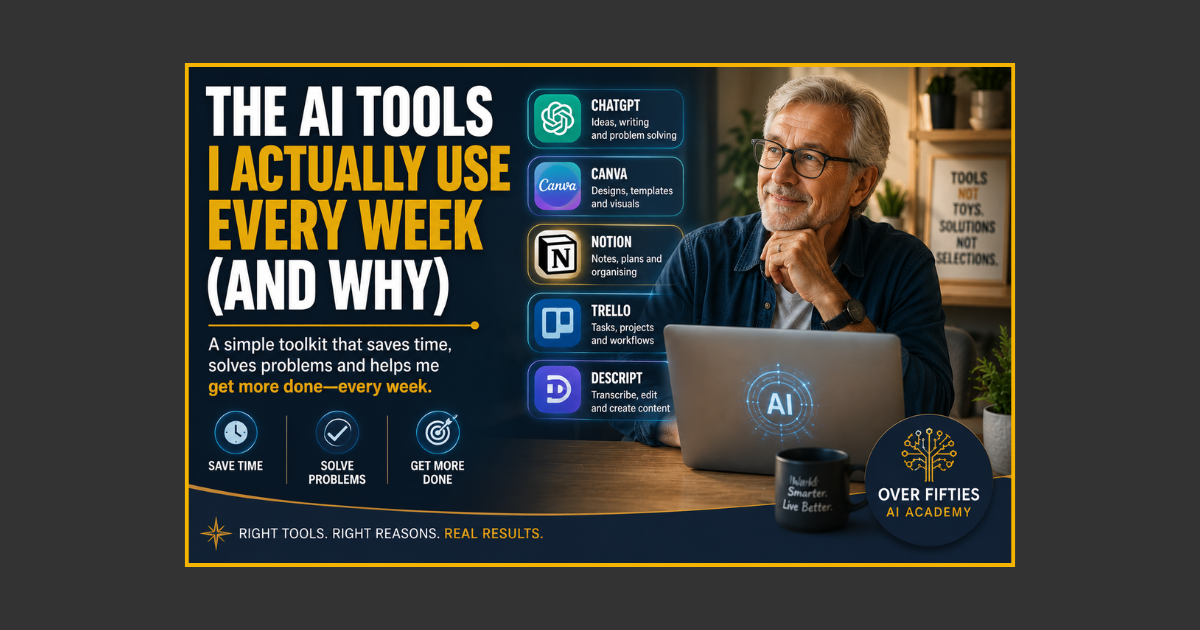
The 5 AI Tools That Make Everyday Tasks Easier
You do not need 37 AI tools to become more productive. You need a small number of tools that solve real problems you actually have.
That sounds obvious, but the AI world makes collecting tools surprisingly easy. Every week there is another “must-have” app, another clever demonstration and another subscription promising to transform your working life before breakfast.
For beginners, that creates exactly the wrong kind of pressure.
A better approach is to build a small practical AI toolbox around jobs you already do: thinking, writing, researching, designing and automating repetitive work.
Here is the kind of weekly toolkit I would build—and, more importantly, why each tool earns its place.
Tool 1: ChatGPT — My General-Purpose AI Workbench
If I could choose only one AI tool to start with, I would choose a good general-purpose conversational assistant.
For me, that role is filled by ChatGPT.
I use it for jobs such as:
- Turning rough notes into a clear first draft
- Brainstorming headings and angles
- Explaining unfamiliar subjects in plain English
- Creating checklists and simple workflows
- Reviewing copy for clarity
- Turning one idea into several content formats
The important point is that I do not use it because it is “AI.” I use it because it replaces several small, fiddly steps with one conversation.
Think of it as a workbench rather than a magic button. You bring the job to the bench, explain what you are trying to achieve, inspect the result and make adjustments.
If giving AI instructions still feels unfamiliar, The Beginner’s Guide to Writing Better AI Prompts explains the process without technical jargon.
Tool 2: Canva — Turning Ideas Into Something People Can See
AI-generated words are useful, but many projects eventually need to become something visual: a featured image, ebook, checklist, social media graphic, presentation or product cover.
That is where Canva earns a regular place in the toolbox.
You can begin with templates rather than designing from a blank page, then use AI-assisted features where they genuinely save time.
For beginners, the biggest advantage is not fancy AI. It is consistency.
Once you have a layout that works, you can duplicate it, replace the text and images, and keep your branding consistent without rebuilding everything from scratch.
This is exactly why creating a master template can save hours on every digital product.
Tool 3: Perplexity — When I Want Research With Sources
Sometimes I do not want a writing assistant. I want to investigate a subject and see where the information came from.
A research-focused AI search tool such as Perplexity can be useful for that job because it combines conversational questions with links to sources.
I might use it to:
- Get an overview of an unfamiliar subject
- Find sources worth reading
- Compare competing explanations
- Research a current topic before writing
- Build a list of questions that need further checking
That last point matters. AI-assisted research is a starting point, not a replacement for checking important facts.
Common-sense rule: If a fact matters to your reputation, money, health or legal position, open the original source and check it yourself.
Tool 4: An AI Image Generator — When Words Need a Visual
There are times when the exact image you need simply does not exist in a stock-photo library.
AI image generators can help create concepts, illustrations, backgrounds, diagrams and promotional graphics from written instructions.
The trick is to treat the prompt like a creative brief.
Instead of writing “older person using AI,” describe the scene: the age range, setting, lighting, mood, clothing, composition, colours and where you want empty space for text.
The first result may not be perfect. That is normal. Adjust the brief and try again.
This is another example of why clear instructions matter more than technical language.
Tool 5: Zapier — For Jobs I Should Not Have to Repeat Manually
Some tasks do not need more creativity. They simply need to happen reliably.
That is where automation tools such as Zapier become useful.
Imagine publishing a new blog post and then manually copying the title, link and description into several other systems every time. Once the steps are predictable, an automation can often move that information for you.
A simple automation might look like:
New item appears → information is collected → AI formats it → finished information is sent somewhere useful.
You do not need to automate your entire life. Start with one repetitive task that annoys you.
Build Your First AI-Powered Weekly Workflow in Under 30 Minutes shows how to think about these repeatable processes without turning them into a technical project.
What About All the Other AI Tools?
There are excellent specialist tools for video, audio, transcription, coding, presentations, customer service, spreadsheets and almost every other task you can imagine.
Some may eventually deserve a place in your toolbox.
But do not add a tool because somebody on YouTube shouted that it was essential.
Add it when you can finish this sentence:
I regularly spend too much time doing __________, and this tool will help me do that job more easily.
If you cannot fill in the blank, you probably do not need the tool yet.
Quick tip: Before paying for another AI subscription, use the free version long enough to complete one real task. A demonstration is impressive. A repeated result is useful.
My Simple Five-Tool Rule
If you are building your own AI toolbox, think in categories rather than brand names:
- One general assistant for writing, thinking and organising.
- One design tool for visual content.
- One research tool when sources matter.
- One image tool when you need original visuals.
- One automation tool when a repetitive process is ready to run without you.
You may discover that one platform handles several categories. Even better.
The goal is not to own five subscriptions. The goal is to cover the jobs that matter with the fewest moving parts.
How to Choose Your Own Weekly AI Toolkit
For the next seven days, do not download anything new.
Instead, keep a simple tally of tasks that:
- Take longer than they should
- Repeat every week
- Require lots of rewriting or formatting
- Need research before you can begin
- Would benefit from a visual
At the end of the week, circle the three biggest time-wasters.
Now look for tools that solve those problems.
This turns the usual process upside down. Instead of finding a shiny tool and searching for a reason to use it, you identify the job first and choose the tool second.
That is the same practical thinking behind The Over 50 Digital Toolbox.
Do You Need the Paid Versions?
Not necessarily.
Free plans are often enough to learn whether a tool belongs in your workflow. Paid plans begin to make sense when you repeatedly hit a genuine limitation: usage limits, missing features, automation capacity or commercial requirements.
Do not subscribe because you are afraid of missing out.
Subscribe because the tool has already proved it can save you time or help you produce something valuable.
Final Thoughts
The best AI toolkit is not the one with the most logos.
It is the one you actually use.
Start with a general assistant. Add tools only when a real problem gives them a job. Learn each tool through practical work rather than endless tutorials.
Most importantly, keep yourself at the centre of the workflow.
AI can draft, organise, research, design and automate. Your experience decides what matters, what looks right and what is worth publishing.
That is human-led AI in practice: fewer tools, clearer jobs and better results.
Keywords: best AI tools, AI tools for beginners, ChatGPT for beginners, Canva AI, AI productivity tools, AI tools for over 50s
.png?width=1024&height=1024&name=Over%20Fifties%20AI%20Academy%20Logo%20(trans).png)