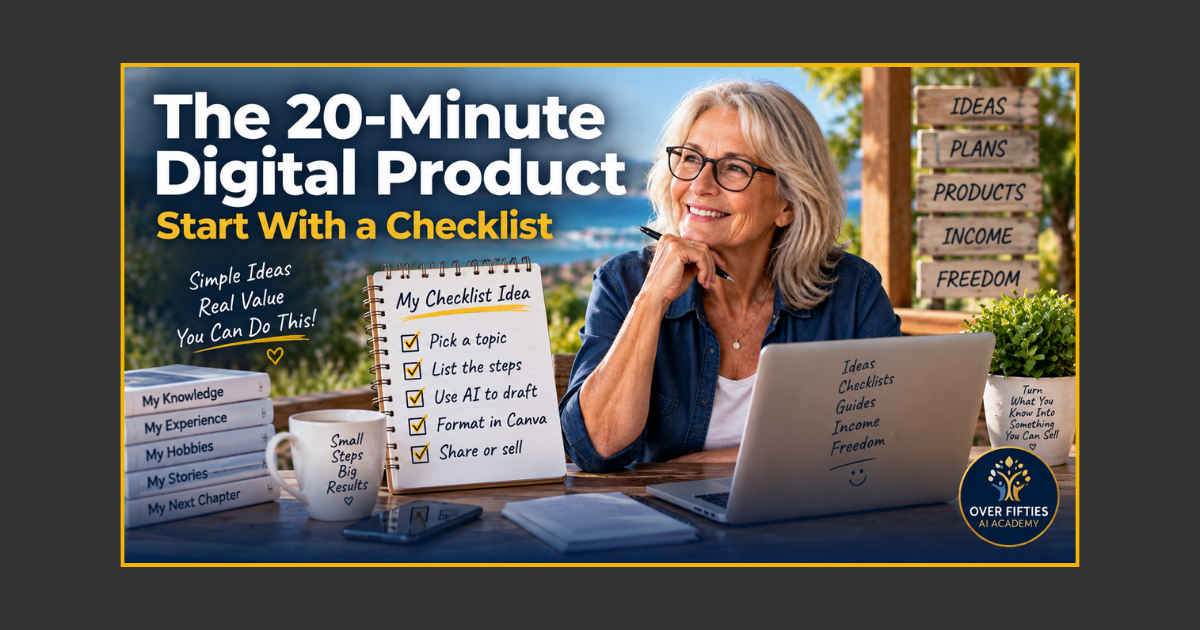
Your First Digital Product Could Be a One-Page Checklist
Creating your first digital product does not have to mean writing a 100-page ebook. If you are looking for simple digital product ideas, one of the easiest places to start is something far smaller: a useful checklist that solves one clear problem.
For beginners over 50, this is a particularly good way to learn how to create a digital product because you can focus on the important part—turning something you know into something another person can use—without getting buried in design, technology or endless pages of writing.
And no, the title does not mean every checklist will literally take 20 minutes from idea to finished product. The point is to think small enough that you can make genuine progress in one short session.
Why a Checklist Makes Such a Good First Digital Product
We use checklists all the time because they remove the need to remember everything. Shopping lists, travel lists, maintenance lists and job sheets all do essentially the same thing: they turn experience into a repeatable process.
That is exactly what a useful digital product can do.
Imagine you have spent years caravanning. You probably know the dozen little jobs that need checking before pulling out of a campsite. A beginner may not. Your experience could become a simple Before You Tow Away Checklist.
Or perhaps you spent your working life preparing documents for clients. Your knowledge could become a 10 Things to Check Before Sending a Professional Document checklist.
Aha! moment: A digital product does not need to contain everything you know. It only needs to help the right person solve one useful problem.
If you are still looking for the right idea, Could Your Life Experience Become a Digital Product? shows how careers, hobbies and everyday experience can uncover surprisingly useful product ideas.
Step 1: Choose One Small Problem
Do not begin with “I want to create a digital product.” Begin with a problem.
Ask yourself:
- What do beginners regularly forget?
- What mistakes do I see people make?
- What do I always check before starting or finishing a job?
- What sequence do I follow without even thinking about it?
- What do people ask me to help them remember?
For example, “gardening” is much too broad. But What to Check Before Planting a New Vegetable Bed is manageable.
“Travel” is broad. The Night-Before-Your-Flight Checklist solves one specific problem.
“Starting an online business” is broad. What You Need Before Creating Your First Digital Product is much easier to finish.
Step 2: Write Down Everything You Would Tell a Beginner
Set a timer for five minutes and forget about polished writing. Imagine somebody has just asked you for help.
Write down every step, warning, item or reminder that comes to mind.
Do not worry about order yet. You might end up with 20 rough points, repeated ideas and a few notes that do not belong. That is fine. You are emptying the toolbox onto the bench before deciding what you actually need.
This is also where AI can be useful. You could paste your rough notes into your AI assistant and say:
I am creating a beginner checklist about [topic]. These are my notes from personal experience. Group similar points together, identify duplicates and suggest a logical order. Do not add factual information that I have not provided. Ask me questions if an important step appears to be missing.
AI is doing the organising. You are still supplying the knowledge.
Step 3: Cut It Down Until It Is Genuinely Useful
More items do not automatically make a better checklist.
A 47-point list may look impressive, but if the reader gives up at number 12 it has not done its job. Look for the handful of items that genuinely prevent mistakes or move the reader towards the result.
Try grouping your information under simple headings such as:
- Before You Start
- What You Need
- Do This
- Check Before You Finish
The finished product should feel easier than the problem it solves.
Step 4: Give Each Item a Clear Action
A checklist works best when the reader knows exactly what to do.
Instead of:
Passport
try:
☐ Check that your passport is packed and still valid for your destination.
Instead of:
Proofread ebook
try:
☐ Read the final PDF from beginning to end after exporting it.
Small changes like this turn a list of nouns into a practical tool.
Step 5: Make It Easy to Read
You do not need to become a graphic designer. A useful checklist can be one or two pages with a clear heading, short introduction, readable type, sensible spacing and boxes the reader can tick.
Keep decoration secondary to usefulness. If somebody has to hunt around the page to work out what they are supposed to check, the design is working against you.
This is also why starting with a checklist is so useful. You can practise creating, formatting and finishing a digital product without committing yourself to a giant project.
If you are deciding between a checklist, ebook, template, planner or prompt pack, What Should Your First Digital Product Actually Look Like? explains which formats suit different kinds of knowledge.
Could You Sell Something This Simple?
Possibly—but usefulness comes before price.
A checklist might be a small paid product, a bonus inside a larger product, a free download that introduces people to your work, or one component of an ebook or toolkit.
The better question is: Would the right person find this useful enough to save, print or use again?
If the answer is yes, you have learned one of the most important lessons in digital product creation. Value is not measured by page count.
The same thinking applies to ebooks. Your First Ebook Doesn't Need to Be 100 Pages explains why solving one problem well can be more useful than padding a product simply to make it look bigger.
Your 20-Minute Challenge
Here is today's job.
- Choose one small problem you understand.
- Write every step or reminder you can think of.
- Remove duplicates and unnecessary points.
- Put the remaining items into a sensible order.
- Give the checklist a clear title that describes the result.
Do not worry about selling it yet. Do not worry about a logo, sales page or perfect cover.
Finish the useful part first.
If that exercise leaves you thinking, “I could actually do this,” the Over Fifties Digital Product Starter Kit™ takes the idea further with beginner-friendly guidance for turning what you know into a finished digital product.
Your first product does not have to be enormous.
It just has to be small enough to finish—and useful enough to matter.
Keywords: digital product ideas, how to create a digital product, digital products for beginners, digital checklist, sell digital products, side hustle ideas, online business over 50, create digital products with AI
.png?width=1024&height=1024&name=Over%20Fifties%20AI%20Academy%20Logo%20(trans).png)